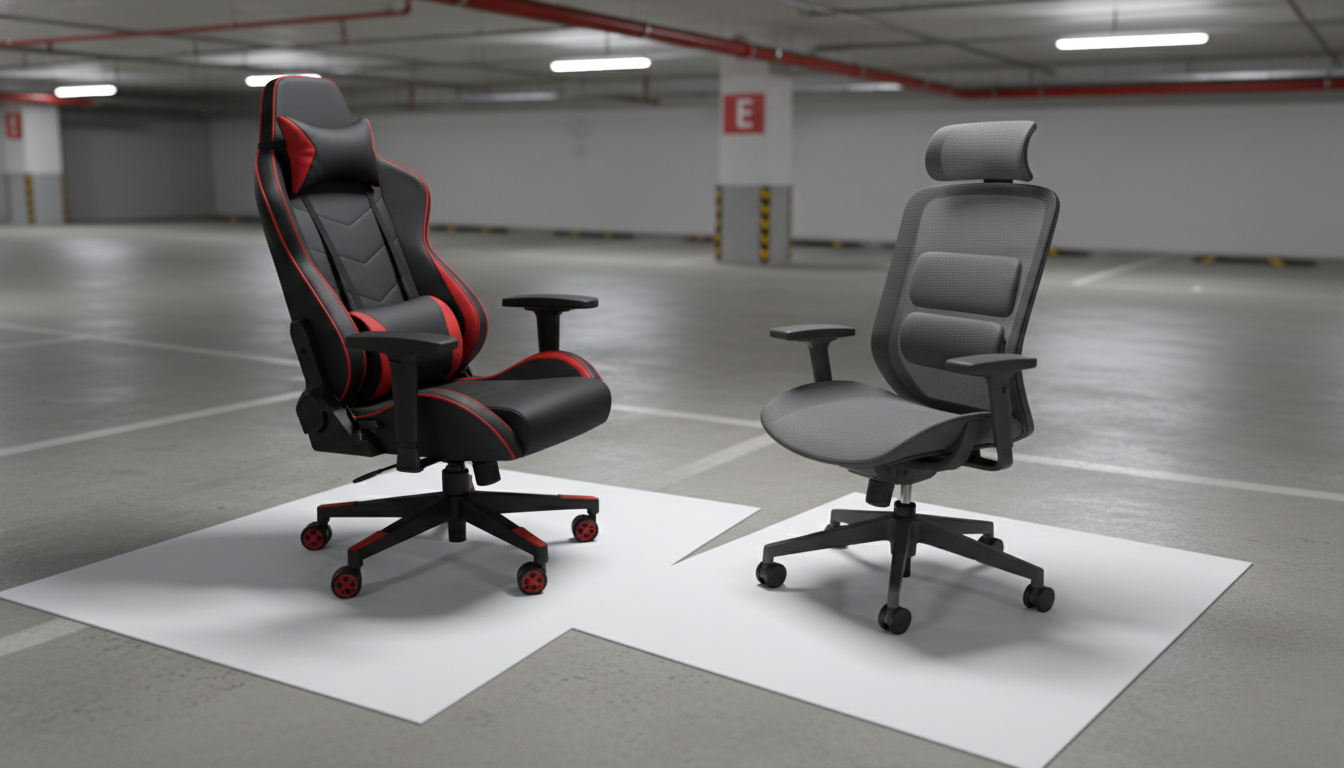
For most people, an ergonomic chair is more comfortable over long sessions because it’s built to support neutral posture and reduce pressure on the lower back, shoulders, and wrists. Gaming chairs can feel comfortable at first—especially if you like a cushioned, “bucket seat” feel—but they’re often tuned more for style and reclined lounging than all-day desk work.
Ergonomic chairs typically win on comfort because they offer more precise adjustments: seat depth, lumbar height and firmness, armrest height/width/pivot, and sometimes a flexible back that moves with you. That level of fine-tuning lets the chair fit your body instead of forcing your body to fit the chair.
Many gaming chairs include lumbar pillows and headrests, but those accessories don’t always place support where it’s needed. If the lumbar cushion hits too high or too low, it can feel “supportive” for a moment and irritating after an hour.
Gaming chairs often have raised side bolsters. If you sit centered and still, that can feel secure. If you shift positions, sit cross-legged, or have wider hips/thighs, bolsters can create pressure points and limit movement—reducing comfort over time.
Ergonomic chairs tend to have flatter, wider seats with a waterfall edge to reduce pressure behind the knees, which helps circulation and makes longer work sessions more comfortable.
If comfort means upright, focused work with fewer aches at the end of the day, ergonomic is usually the better bet. If comfort means reclining, watching content, or using a footrest and leaning back for long stretches, a gaming chair’s high back and head pillow may feel more relaxing.
To compare features that most affect comfort—like adjustable armrests and real lumbar support—see the full guide here: ergonomic vs gaming chair comfort features.
Prioritize adjustable lumbar support, seat height and depth, and armrests that let your elbows rest without lifting your shoulders. A smooth recline with a supportive backrest also helps you change positions without losing support.











Leave a comment