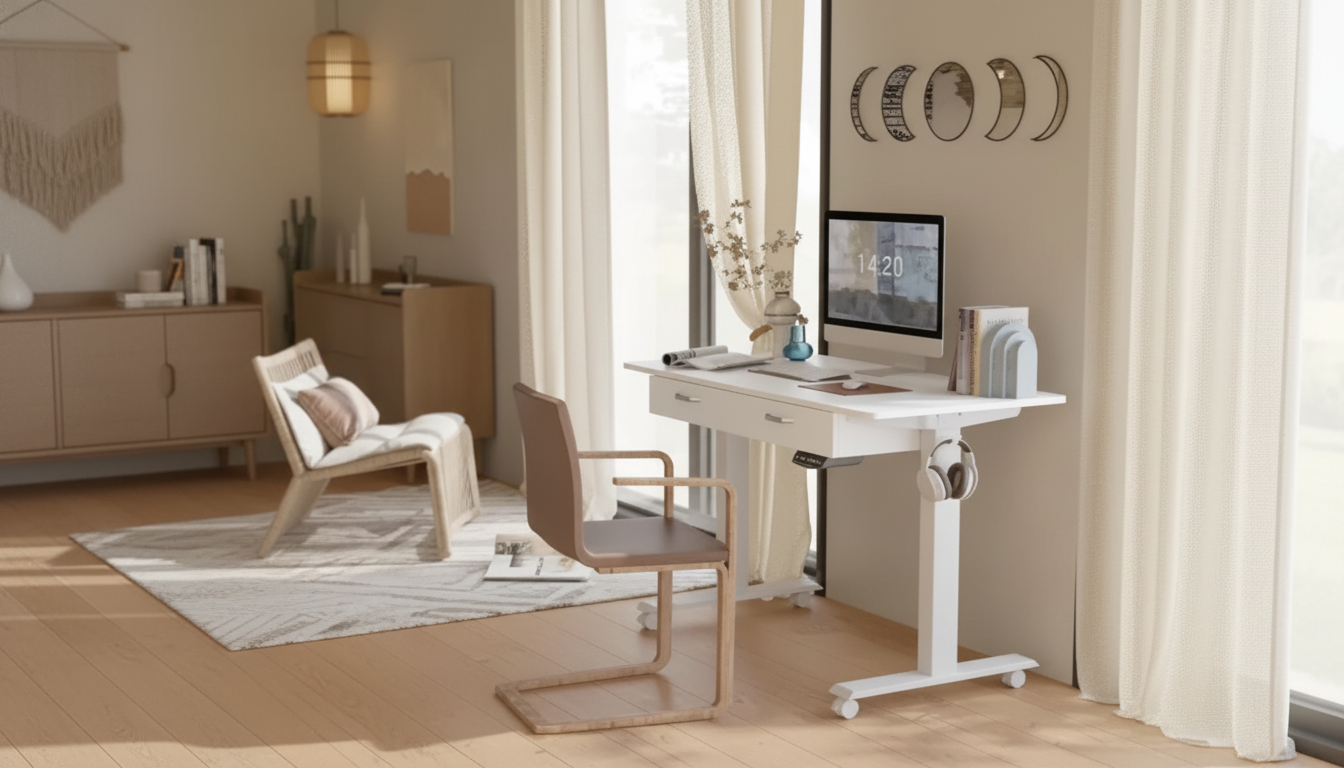
A flexible workstation can make long hours feel lighter—especially when it moves with the day. This electric adjustable standing desk pairs smooth height changes with built-in storage and rolling casters, making it easier to switch between focused seated work, standing sessions, and quick room reconfigurations without losing organization.
Many home offices start with a simple table and grow into a maze of chargers, notebooks, and accessories. An electric adjustable standing desk with dual drawers and mobile casters is built to reduce friction in everyday work—so it’s easier to stay comfortable, stay organized, and adapt your space when life gets busy.
For ergonomic basics and workstation setup guidance, reputable references include the CDC/NIOSH ergonomics resources and the OSHA computer workstations eTool.
Adjustable desks can look similar at a glance, but daily comfort comes down to a few practical details. When height changes are easy and repeatable, it becomes more realistic to alternate positions instead of “setting it once” and forgetting it.
| Need | Why it matters | Quick test before buying/assembling |
|---|---|---|
| Standing height range | Supports neutral posture with elbows near 90° | Measure elbow height while standing; ensure the desk can reach it |
| Seated height range | Keeps shoulders relaxed and wrists neutral | Check chair height + armrest clearance under the desktop |
| Drawer clearance | Avoids knee bumps and allows easy access | Confirm drawer placement won’t interfere with thighs when seated |
| Caster locking | Prevents unwanted movement while typing | Verify at least two lockable wheels or a reliable braking mechanism |
| Desktop depth | Maintains healthy viewing distance to screens | Aim for enough depth to keep monitors an arm’s length away |
| Noise level | Less disruption during calls or shared spaces | Look for smooth, low-noise lift notes in product details/reviews |
The combination of casters and drawers changes how a desk behaves in a room. Instead of a heavy, fixed anchor, it becomes a tool you can reposition for better light, a better background for video calls, or simply to reclaim floor space after hours.
Storage also helps protect a setup from “surface creep.” When small items live in drawers, the top stays open for what you’re actively using, which can make work feel calmer and more deliberate.
Switching positions works best when it’s gentle and consistent. Comfort should feel like a series of small adjustments rather than a dramatic change that leaves you fatigued.
Small refinements add up: a monitor riser (or monitor arm), a keyboard position that keeps wrists neutral, and a desk height that doesn’t force shoulders upward. For additional office ergonomics guidance, the Mayo Clinic’s office ergonomics guide is a helpful reference.
Available now:
Electric Adjustable Height Standing Desk with Dual Drawers and Mobile Casters
(In stock, $518.32).
For additional room organization—especially in shared spaces—pairing a mobile workstation with dedicated closed storage can help keep backgrounds tidy:
Modern Minimalist Ash Wood Wardrobe with Artistic Glass Sliding Doors
(In stock, $3250.49).
They can if the wheels don’t lock well or the frame is light, but stability mostly depends on the desk’s structure and braking system. For best results, lock the casters during use and check for wobble at your standing height before committing to a long session.
Use the drawers for lighter, frequently used items like pens, sticky notes, chargers, cables, and small peripherals. Avoid loading them with heavy objects, and distribute items evenly so one side doesn’t feel more weighted than the other.
A practical approach is rotating between sitting and standing in shorter blocks (for example, standing for 15–30 minutes each hour or two). Let comfort be the cue: if your feet get tired, sit; if your hips feel stiff, stand and reset your posture.










Leave a comment