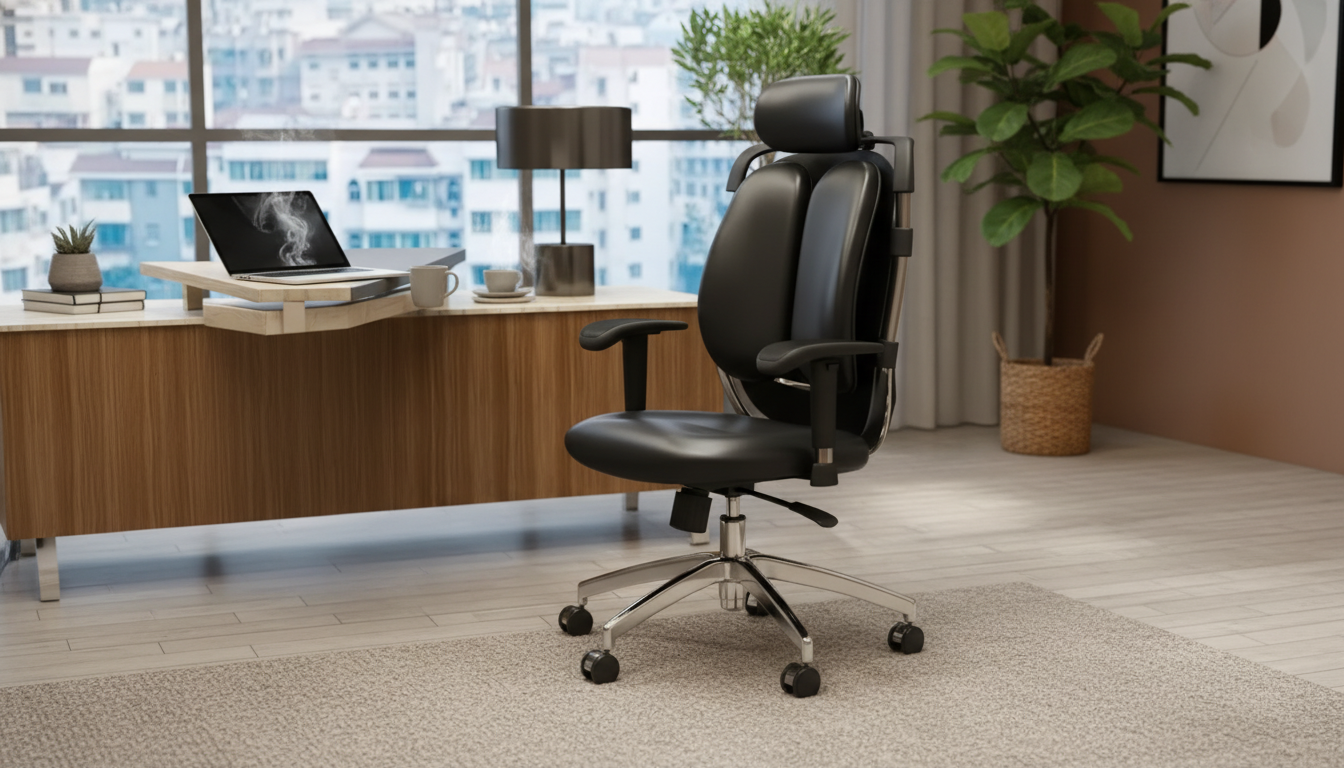
An ergonomic swivel office chair brings together posture-friendly support and smooth 360° mobility, making it easier to stay comfortable while switching between keyboard, mouse, calls, and paperwork. With the right adjustments, pressure on the lower back drops, shoulders stay more relaxed, and it becomes easier to maintain steady focus during long sessions at a desk—without feeling locked into one rigid position.
What Makes a Swivel Chair Ergonomic
A chair earns the “ergonomic” label when it supports natural alignment and adapts to different bodies and tasks. A true ergonomic swivel chair typically includes:
- Built-in adjustability that matches the user’s dimensions (seat height, seat depth, backrest angle, armrest height/width).
- Lumbar support that encourages a neutral spine instead of a rounded lower back.
- A supportive seat that spreads pressure across the sit bones without cutting into the backs of the thighs.
- Stable base and casters that keep movement smooth and controlled, reducing awkward twisting.
- Breathable, durable materials that stay comfortable through long workdays.
Swivel function is more than convenience: rotating the entire chair toward your task helps reduce repeated torso twisting, a common source of low-back irritation over time.
Key Adjustments to Dial In Comfort
Even a well-designed chair can feel “off” until it’s tuned to your body. Start with these high-impact adjustments, then fine-tune in small steps:
- Seat height: set so feet rest flat and knees sit around a 90–110° angle; thighs should be roughly parallel to the floor.
- Seat depth: leave about 2–3 fingers of space between the front edge of the seat and the back of the knees.
- Lumbar support: position the curve to fill the small of the back; avoid forcing the spine into excessive arching.
- Backrest recline and tension: recline slightly for task variation; tension should support the torso without feeling like a push-back fight.
- Armrests: raise or lower so shoulders stay relaxed; forearms should be supported without lifting the elbows or hunching.
- Swivel and rolling use: rotate the chair to reach items instead of twisting at the waist; roll closer to the desk to avoid forward head posture.
Quick Setup Checklist
| Adjustment |
Target Setting |
Why It Helps |
| Seat height |
Feet flat; knees 90–110° |
Reduces pressure behind knees and supports stable posture |
| Seat depth |
2–3 finger gap behind knees |
Prevents circulation restriction and encourages back support contact |
| Lumbar position |
Fills lower-back curve |
Supports neutral spine and reduces slumping |
| Recline/tension |
Slight recline for tasks; supported lean |
Distributes load and reduces static sitting fatigue |
| Armrests |
Shoulders relaxed; elbows near sides |
Decreases neck/shoulder strain during typing and mousing |
| Desk distance |
Sit close enough to avoid reaching |
Limits forward head posture and upper-back rounding |
Fit and Sizing: Matching the Chair to the User
Comfort isn’t one-size-fits-all. A chair that fits well tends to feel supportive without requiring constant fidgeting for relief.
- Seat width and depth: hips should be supported without pinching, and you should be able to sit fully back against the backrest.
- Height range: confirm the chair can go low/high enough for your desk and leg length. If the desk is fixed and sits high, a footrest can help shorter users keep feet supported.
- Armrest spacing: prioritize armrests that allow elbows to stay close to the torso; overly wide armrests can push the shoulders outward and create upper-back tension.
- Shared seating: if multiple people use the chair, look for quick-adjust controls and easy-to-remember reference points for resetting.
Movement Habits That Make a Bigger Difference Than One Perfect Posture
The goal isn’t to “sit perfectly” for eight hours—it’s to stay supported while changing position often enough to reduce fatigue. Support plus movement usually wins over any single ideal posture.
- Alternate positions: switch between upright task posture and a supported recline; aim for a change every 20–40 minutes when possible.
- Use the swivel intentionally: rotate your whole chair toward shelves, side tables, or a second screen instead of twisting your spine.
- Match chair setup to monitor placement: keep the top of the screen near eye level and about an arm’s length away to reduce neck strain.
- Reduce repeated reaching: keep frequently used items within easy reach so shoulders don’t creep forward all day.
- Consider brief standing intervals: if you have access to a sit-stand routine, even short breaks can reduce continuous sitting load.
For additional workstation guidance, see recommendations from Mayo Clinic and ergonomics resources from OSHA.
Materials, Build, and Daily Durability
Materials change how a chair feels hour-to-hour, while build quality affects how it performs month-to-month.
Care and Maintenance for Consistent Performance
FAQ
What is the best ergonomic office chair for long hours?
The best option is one that fits your body and offers essential adjustability: seat height and depth, reliable lumbar support, adjustable armrests, and a backrest that supports small posture changes. Long-hours comfort should come from support and fit rather than extra softness alone.
Are swivel chairs ergonomic?
They can be. Swivel features help reduce torso twisting by letting the whole chair rotate toward tasks, but overall ergonomics depends on adjustability, lumbar support, seat shape, and how well the chair matches the user and workstation.
Recommended for you












Leave a comment